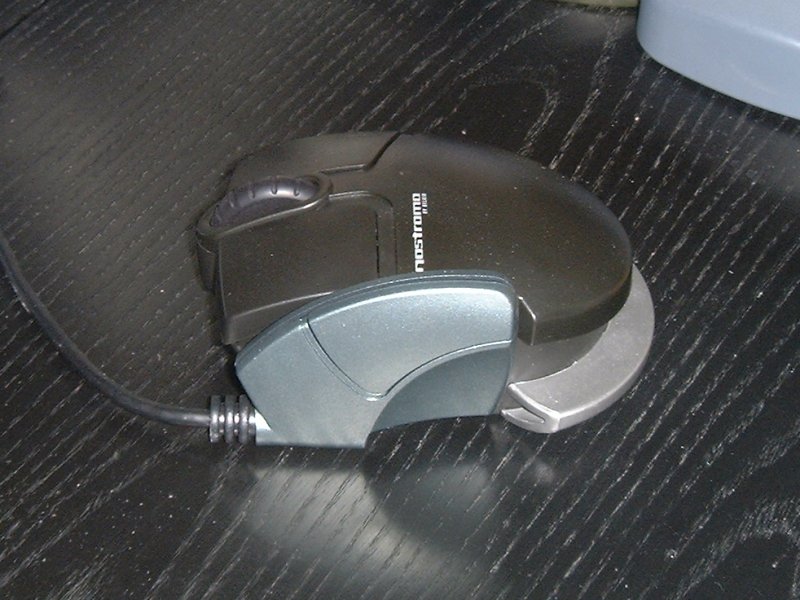
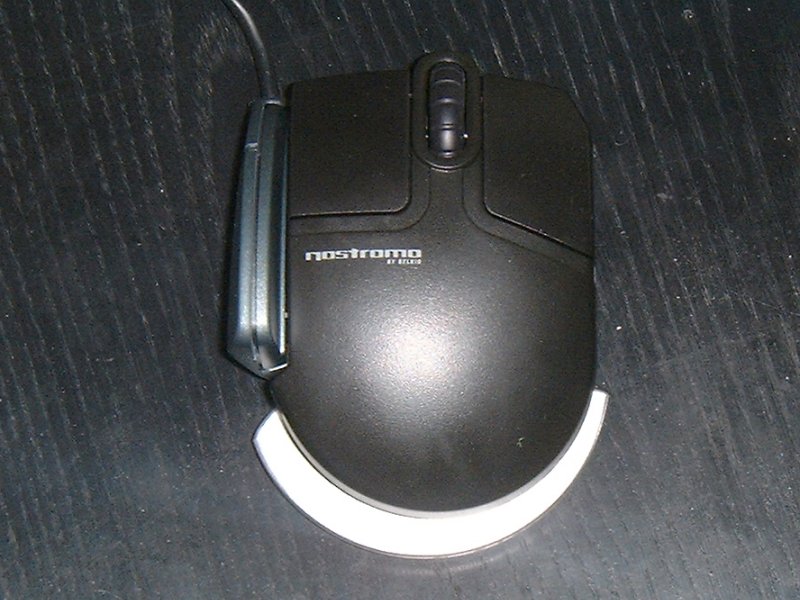
Innovative design must be tempered with sensibility. Too many controllers have been original in concept but unusable in their final form. But the new Nostromo game controllers from Belkin (yeah, the network hardware people - they're branching out) showed promise. Sure, they may look kinda ugly and cobbled together but then my all time favourite mouse, the Wingman Gaming Mouse, has even less aesthetic appeal than Rosie O'Donnell, so it's not as if looks correlate with usability. So, what've I got here? A mouse and a butchered keyboard which respectively go by the name of the Nostromo n-30 Game Mouse and the Nostromo n-50 SpeedPad. I'm going to take a look at them separately so things don't get complicated here.
Nostromo n-30 Game Mouse
You expect a certain number of things from a mouse don't you? It should be comfortable and easy to set up. It should perform well and if it looks good that's a nice bonus. Well, one out of four ain't actually, it is bad, it's not exactly hard to make a mouse that's easy to setup. The n-30 just doesn't work on so many levels. The bolted-together look means that it's not comfortable to use. It's raised quite high for a small, non-wedged mouse and ALL the silver bits you see on it serve only to get in the way and make it more uncomfortable to hold. It's a ball mouse, which wouldn't be bad if you're still into ball mice (I am, as regular readers probably know), but it's terribly susceptible to "lift". In other words, if you lift the mouse to move it back to a more comfortable position on your desk your crosshair will flick your view around and you'll end up looking in a random direction. This problem is even worse than it was with the very first optical mice from early 2000 and unless you're the kind of gamer who never moves the mouse off the table this proves an unacceptable problem. The thumb button is also bewilderingly placed - you have to move your thumb UP to press it, and even that is a stretch to a small strip of the button - the large part of the thumb button will only be reachable to those with fingers longer than Jimi Hendrix's, and the curve outwards just before the thumb button also gets in the way. The button click is acceptable, and though the scroll wheel could ideally click a bit more it's still usable but for one mind boggling oversight - the wheel doesn't double as a clickable button. So that hard to use thumb button turns out to double as the middle button, which effectively leaves you with a mere two usable mouse buttons.
The one possible redeeming feature of the mouse is the Immersion technology built into it. This means that in certain games the mouse shakes with each shot, when you land a jump and so on. However, while it's cooler technology than you might think (especially as it never puts your aim off in game), few games support it and the Logitech iFeel mice are far more comfortable than the n-30.
The Verdict: Practically an example of how not to design a mouse. Belkin have a lot of catching up to do with Logitech and Microsoft if they want to be seen as serious gaming component designers.