|
I can't say I've been too impressed with cordless peripherals so far, but then the last time I used one for any notable period of time was a fair while back. The lag's the problem, you see? Early cordless keyboards were fine for office work (well, maybe not the infra-red ones) but, when used for gaming, that longer-than-normal delay between pressing a key and seeing the corresponding letter appear on screen often proved just enough time for your opponent to blow you away instead of vice versa. You won't see a single Pro Quake player using a cordless mouse or keyboard for that reason. Ever the optimist I was hoping the Cordless Desktop iTouch from Logitech might be the one to buck the trend and prove suitable for gaming.
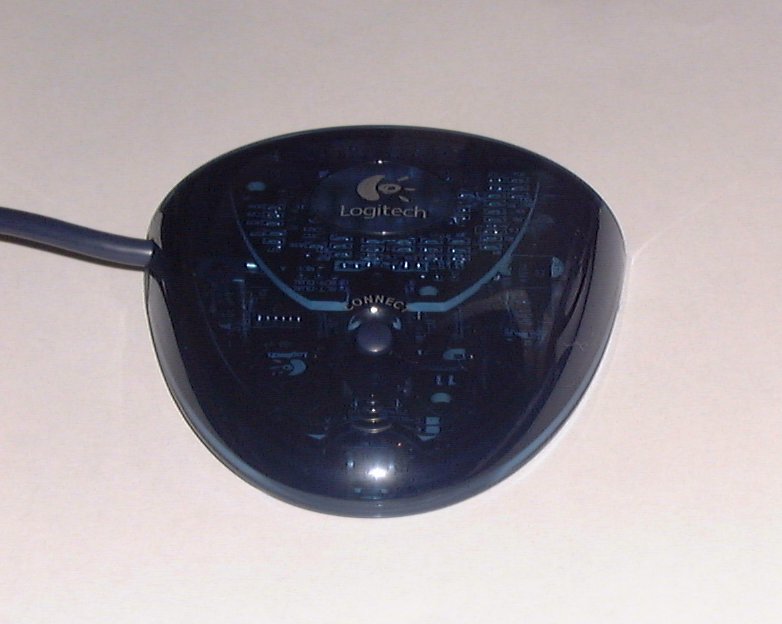
Tear open the box, throw every thing in it onto a desk and what you'll end up looking at is a wireless keyboard, wireless mouse, combined mouse/keyboard receiver unit, brief manual, driver CD and a set of batteries. Setup is a piece of cake, more so than I'd expected. Plug in the receiver, insert batteries into the keyboard and mouse, then press the connect button on each of the three devices. A welcome security feature Logitech added is signal encryption, which is again easy to setup. You just press CTRL+ALT+F12 and a special screen pops up. You then type in a randomly generated sequence of letters and voila, no more worries about anyone intercepting your key presses. Sure, you'd have to be pretty paranoid to be concerned about such things, especially considering the short range of the transmitters in the mouse and keyboard (about 8 feet judging from some quick experimentation I did), but it's a nice added extra none the less.
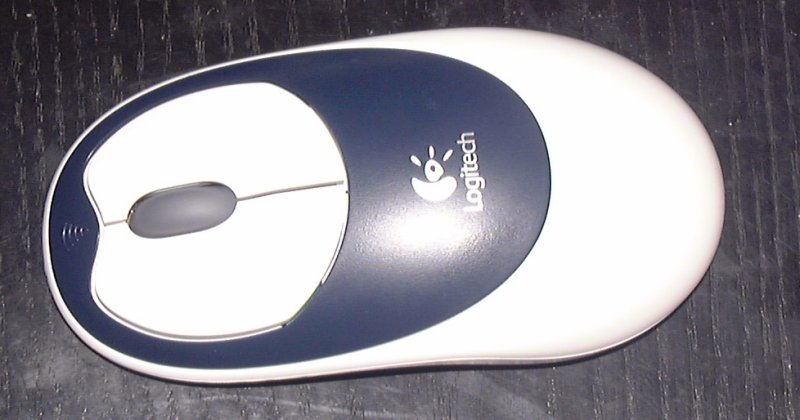
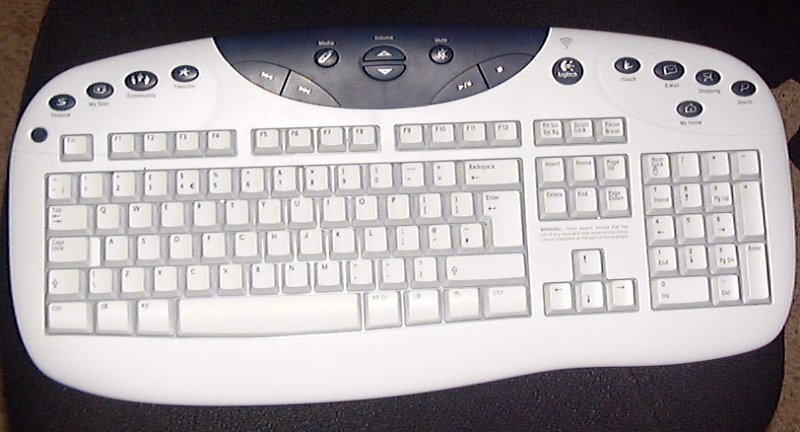
So, setup is painless, what about actually using the things? In contrast to my previous experiences with wireless devices, the iTouch wireless technology was solid. I suspect that technically key presses and such take slightly longer to transmit since the data has to travel via radio frequency, then be decoded by the receiver and sent down the cable. However in practice there wasn't even the briefest of noticeable delays when using either the mouse or keyboard, whatever the game, be it twitch FPS or slow paced RTS. So no problem there, but I do have a few minor niggles about the design of the keyboards, for gaming at least. Presumably as part of the "Zero Degree Tilt" feature Logitech included in the design (basically it feels sloped even when it's flat since some keys are higher than others) the bottom few keys, CTRL, ALT, Space and the arrow keys, all slope downwards. When you're keeping your hands on WASD this can feel a little odd, although it only felt a little odd and never made me miss an actual jump or anything. It's more of a problem using the arrow keys as then it feels rather awkward. The shape of the mouse is nicely ambidextrous. Personally I would have preferred something a little wider, but then I'm currently using the very wide Wingman Gaming Mouse so I expect the iTouch Cordless Mouse width is just something that takes getting used to. It's not like it's strangely shaped ala the Razer Boomslang or anything. Another niggle - the escape key isn't directly above the tilde key (or whichever key is next to the "1" key in your country) which takes a little getting used to.
Key tread feels very squishy, more so than the regular iTouch. Logitech keyboards tend to have more of a squishy keytread to them (which I like), though if you prefer "clicky" keyboards Microsoft ones tend to be a better bet. It's all down to personal preference. There are also a lot more iTouch buttons to the Cordless model than on the original corded iTouch. I tended not to use them, but they're potentially useful and I know people who love having a myriad of extra keyboard buttons to assign to various functions. The coolest is the Media button which, when pressed, pops up a little menu that lists your currently installed media programs like DVD players, WinAmp and Media Player. It's a useful feature, and quite a logical addition really since the iTouch software already has to detect installed media player programs for its play control buttons.
|